Carrier Unlock Versus Bootloader Unlock on Smartphones
Compare carrier unlock versus bootloader unlock permissions, why a phone is carrier unlocked with a locked bootloader, and how to check OEM unlocking.
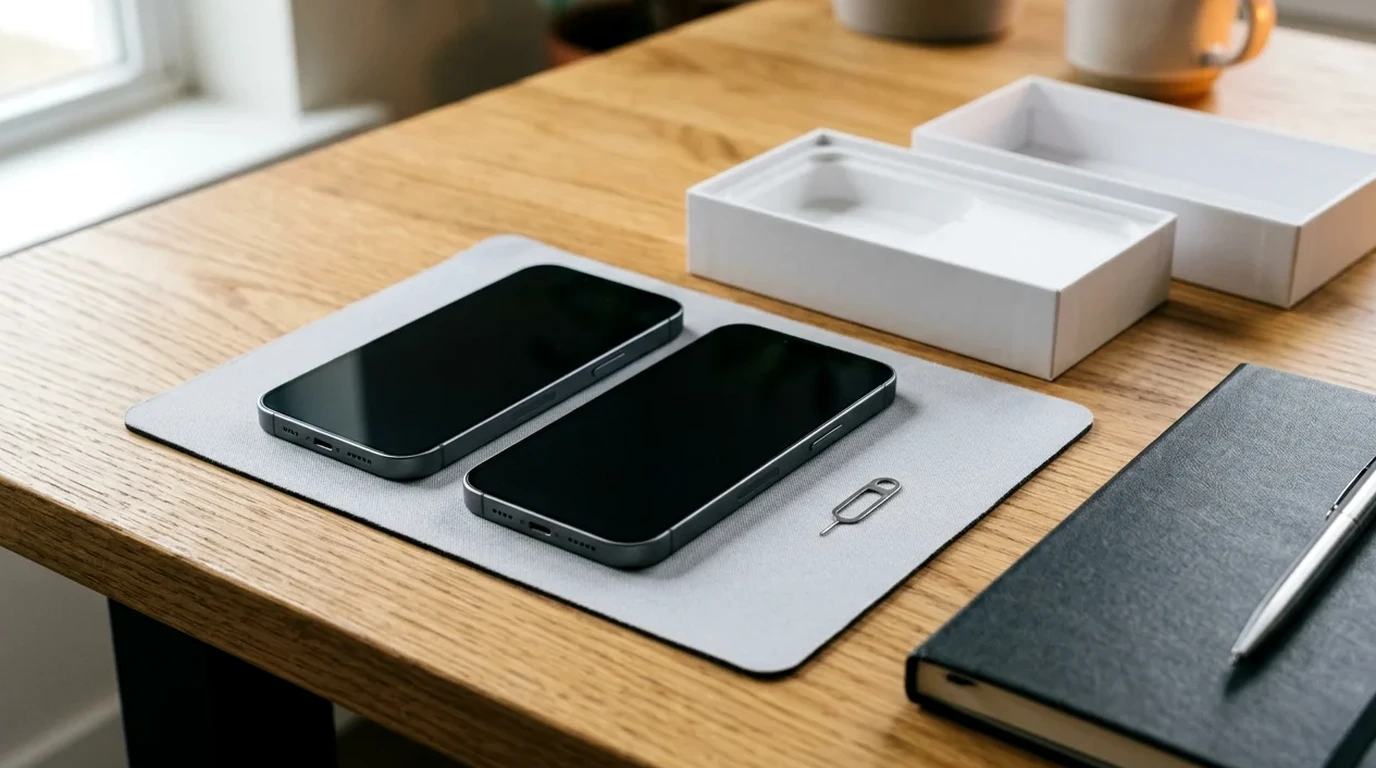
Before purchasing or flashing a handset, compare carrier unlock versus bootloader unlock permissions to confirm whether you need cellular network SIM freedom or fastboot partition access.
Verizon defines carrier ‘Unlocking’ specifically as disabling the software that prevents a device designed for one carrier from being activated on another.
By default, most Android devices ship with a locked bootloader, meaning that users cannot flash the bootloader or device partitions.
A carrier-unlocked Verizon variant of a Google Pixel 7 Pro (regulatory label GE2AE) still has the OEM unlocking option permanently grayed out in Settings > Developer Options.
Pair this lock comparison with our budget and unlocked smartphones hub when evaluating retail, refurbished, or carrier-sold handsets.
Core differences between carrier unlock and bootloader unlock
In Android OemLockManager, multiple actors have an opinion on whether the device can be OEM unlocked and they must all be in agreement for unlock to be possible.
OemLockManager.setOemUnlockAllowedByCarrier(boolean allowed, byte[] signature) sets whether the carrier has allowed the device to be OEM unlocked and requires MANAGE_CARRIER_OEM_UNLOCK_STATE permission.
OemLockManager.setOemUnlockAllowedByUser(boolean allowed) sets whether the user has allowed the device to be unlocked and requires MANAGE_USER_OEM_UNLOCK_STATE permission.
The build-time property ro.oem_unlock_supported is set to 1 if the device supports flashing unlock, or set to 0 if the device does not support flashing unlock.
If a device supports flashing unlock, the bootloader indicates lock status by setting androidboot.flash.locked to 1 if locked or to 0 if unlocked (set in bootconfig in Android 12).
US carrier SIM unlock timelines and eligibility rules
Under Verizon’s policy effective February 18, 2026, postpaid devices unlock automatically when purchased at full retail price or when the financing balance is paid in full with a secure payment method, whereas paying with a Verizon Gift Card delays unlocking by 35 days.
Verizon prepaid devices remain locked to the network until the completion of 365 days of paid and active service, while deployed military personnel with relocation orders outside the Verizon Coverage Area can unlock after 60 days of active service in good standing.
Once a T-Mobile device becomes eligible, T-Mobile automatically and remotely unlocks it within two business days if it supports remote unlock; postpaid plans require at least 40 days active on the requesting line; if financed or leased, the device must also be paid in full.
T-Mobile Prepaid SIM unlock eligibility requires at least 365 days since activation, or more than $100 in refills per active line and more than 14 days since purchase, with no more than 2 mobile device unlocks completed per line in the last 12 months.
AT&T Wireless device unlock eligibility requires that the device was bought more than 60 days ago, is paid in full with a zero installment balance, is not reported lost, stolen, or involved in fraud, and, if you are a current AT&T customer, your account bill is not past due.
AT&T Prepaid devices require 12 months of paid AT&T service to be unlocked, and AT&T Business devices upgraded early from a two-year contract must wait 30 days to unlock.
Review our guide on unlocked versus carrier phone band support and bloatware when comparing network compatibility across carrier-sold and retail models.
Why a phone is carrier unlocked with a bootloader locked
When evaluating a phone carrier unlocked bootloader locked configuration, review the factory partition flags, regional model numbers, and platform signing rules below.
Carrier variants of Google Pixel phones use the same stock OS and firmware with a non-zero carrier ID flashed onto the persist partition in the factory, which activates carrier-specific configuration in the stock OS including disabling carrier and bootloader unlocking.
On device model variants (SKUs) that support being sold as locked devices by carriers, enabling OEM unlocking in Settings > System > Developer options requires internet access so the stock OS can check if the device was sold as locked by a carrier.
On the Google Pixel 6a, OEM unlocking does not work with the factory stock OS version and requires updating to the June 2022 release or later via OTA update followed by a factory reset.
Sony Xperia US variant models XQ-CT62 (Xperia 1 IV US variant) and XQ-CQ62 (Xperia 5 IV US variant) do not support bootloader unlock.
Apple iPhones do not offer a user bootloader unlock because Apple’s signing system is not a setting that owners can change.
On the Swappa used marketplace, unlocked phones carry a small premium (such as $20 to $40 between two otherwise identical used phones), and Swappa’s Unlocked category is reserved for factory-unlocked devices rather than carrier-unlocked devices.
How to check carrier lock and OEM unlocking status before buying or flashing
To check carrier lock status on iPhone, go to Settings > General > About > Carrier Lock; on Samsung devices released before September 1, 2025, check Service provider software version; on Samsung devices released after September 1, 2025, check Settings > Connections > More connection settings > Network lock status.
On Android 4.2 and higher, users enable Developer options by tapping the Build Number option seven times until the message ‘You are now a developer!’ appears.
Android devices should deny the fastboot flashing unlock command unless get_unlock_ability is set to 1; if set to 0, the user must enable OEM unlocking in Settings > System > Developer options.
After setting the OEM unlocking option in Developer options (which sets get_unlock_ability to 1), this mode persists across reboots and factory data resets.
Once in bootloader mode, running the fastboot flashing unlock command unlocks the bootloader and enables partitions to be reflashed, and the unlock mode persists across reboots.
Nexus or Pixel devices manufactured in 2015 or later use fastboot flashing unlock and fastboot flashing lock, whereas pre-2015 (2014 or earlier) devices use fastboot oem unlock and fastboot oem lock.
On the unlock confirmation screen triggered by fastboot flashing unlock, focus is initially on Don’t unlock, and if the user does not interact within 30 seconds, the screen disappears and the command fails.
To lock the bootloader and reset the device, a user runs the fastboot flashing lock command; retail devices should ship in the locked state with get_unlock_ability returning 0.
What bootloader unlocking erases, breaks, or disables
When fastboot flashing unlock is sent and the user acknowledges the warning, the device should perform a factory data reset to prevent unauthorized data access before the persistent flag can be set.
All RAM not already overwritten should be reset during the fastboot flashing unlock process to prevent attacks that read leftover RAM contents from the previous boot.
Both unlocking the bootloader and locking the bootloader delete all personal data on the phone to prevent unauthorized access to personal data.
Installing a factory image on a Nexus or Pixel device erases all data and requires unlocking the bootloader, whereas sideloading a full OTA image does not require a data wipe and does not require the bootloader to be unlocked.
Installing LineageOS 24.0 on Google Pixel 8a (akita) requires enabling OEM unlock in Developer options, running fastboot flashing unlock (which erases all data), and flashing boot.img, dtbo.img, vendor_kernel_boot.img, and vendor_boot.img.
On Sony Xperia devices, unlocking the bootloader requires an unlock code obtained using IMEI 1 (on dual SIM devices that have two IMEI numbers), triggers a factory reset that erases all device settings and user data, and causes the removal of DRM security keys.
On Samsung devices, unlocking the bootloader to allow custom firmware triggers permanent Knox revocation.

Android Verified Boot states, custom roots of trust, and anti-rollback protection
The bootloader communicates Verified Boot state via androidboot.verifiedbootstate: green if LOCKED without a user-settable root of trust, yellow if LOCKED with a user-settable root of trust, and orange if UNLOCKED.
Android 4.4 added Verified Boot and dm-verity, Android 7.0 started strictly enforcing Verified Boot to prevent compromised devices from booting, and Android 8.0 added Android Verified Boot (AVB) with rollback protection.
Locking the bootloader after installing an alternate OS that supports custom verified boot keys (such as GrapheneOS on supported Pixels) enables full verified boot and prevents using fastboot to flash, format, or erase partitions.
When loading an alternate OS with a custom verified boot public key, 4th and 5th generation Pixels show only the first 32 bits of the sha256 key hash on a yellow boot notice, whereas 6th generation Pixels onwards show the full sha256 hash.
The May 2025 update for Pixel 6 (6, 6 Pro, 6a) and Pixel 8 (8, 8 Pro, 8a) increments the bootloader anti-rollback version, preventing rollback to older Android 15 builds, and the May 2026 update for Pixel 10 (10, 10 Pro, 10 Pro XL, 10 Pro Fold) increments the bootloader anti-rollback version, preventing rollback to older Android 16 builds.
Before finalizing a secondhand handset purchase, follow our refurbished phone IMEI blacklist and finance lock check to confirm the device is paid off and cleared for activation.
Pre-purchase verification checklist and frequently asked questions
Use this verification sequence before paying for a secondhand phone or starting a custom ROM installation:
- Confirm whether you only need multi-carrier SIM activation or also need fastboot partition flashing access.
- Check the carrier lock status screen on the handset and verify that any installment balance or prepaid service period is satisfied.
- Connect the phone to the internet, enable Developer options, and verify that the OEM unlocking toggle is interactive rather than grayed out.
- Back up all personal files before running any bootloader unlock or relock command.
Checking both the carrier lock status screen and the OEM unlocking toggle while the return window is open prevents paying for a handset that cannot meet your network or firmware requirements.
Does carrier unlocking a phone also unlock the bootloader?
A carrier-unlocked Verizon variant of a Google Pixel 7 Pro (regulatory label GE2AE) still has the OEM unlocking option permanently grayed out in Settings > Developer Options.
Why is the OEM unlocking toggle grayed out on a carrier-unlocked Pixel phone?
Carrier variants of Google Pixel phones use the same stock OS and firmware with a non-zero carrier ID flashed onto the persist partition in the factory, which activates carrier-specific configuration in the stock OS including disabling carrier and bootloader unlocking.
Does sideloading a full OTA update on a Pixel phone require unlocking the bootloader?
Installing a factory image on a Nexus or Pixel device erases all data and requires unlocking the bootloader, whereas sideloading a full OTA image does not require a data wipe and does not require the bootloader to be unlocked.
Sources
-
Android Open Source Project — Locking and Unlocking the Bootloader
-
Android Open Source Project — OemLockManager API Reference
-
Android Open Source Project — Verified Boot and Boot Flow
-
Google Developers — Factory Images and Full OTA Images for Nexus and Pixel Devices
-
Android Studio User Guide — Configure On-Device Developer Options
-
GrapheneOS — Install Guide (OEM Unlocking and Bootloader Unlocking)
-
Sony Developer World — Unlock Bootloader for Xperia Open Devices
-
LineageOS Wiki — Installation Instructions for Google Pixel Devices
-
Verizon — Device Unlocking Policies
-
T-Mobile Support — SIM Unlock Policy and Unlock Your Mobile Wireless Device
-
AT&T Support — Wireless Device Unlock Eligibility Requirements and Status Check
-
XDA Developers — Carrier Unlocked vs Bootloader Locked Discussion
-
Swappa — Unlocked Phone Buyers Guide
Related technical guides
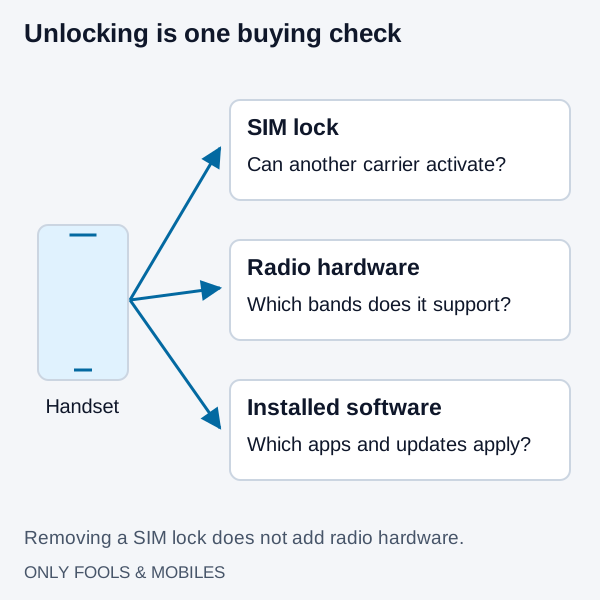
Unlocked vs. Carrier Phone: Band Support, Bloatware, and 2026 Unlock Rules
Compare factory-unlocked and carrier phones, check hardware separately from SIM locks, and review Verizon, AT&T and T-Mobile eligibility conditions.
Read technical guide
Dual SIM DSDS Versus DSDA and Which Radio Sleeps
Compare DSDS versus DSDA Android dual SIM standby versus dual active radio behavior, second SIM call and data rules, eSIM MEP, and model checks.
Read technical guide
Android eSIM Transfer When the QR Code Is Already Consumed
Fix an Android eSIM transfer when a scanned QR code fails as already used or bound. Check existing profiles, run device-to-device transfer, or use your EID.
Read technical guide