Refurbished Phone IMEI Blacklist and Finance-Lock Check Before You Buy
Run a separate refurbished phone IMEI blacklist check and carrier finance-lock inspection before the return window closes—cosmetic grades and battery health do not clear network debt.
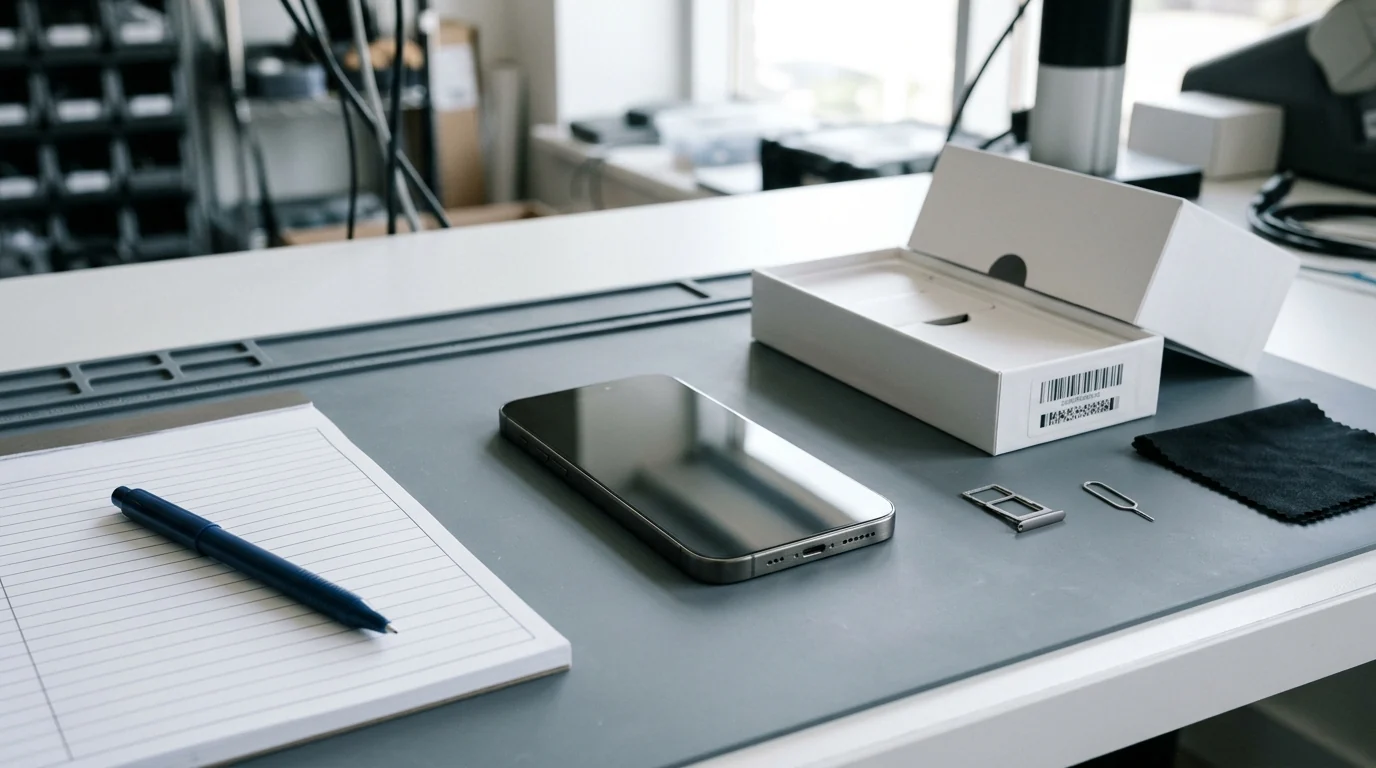
A refurbished phone’s cosmetic grade and battery health percentage measure physical wear, not whether its 15-digit IMEI is cleared for cellular service or free of unpaid carrier installment debt. Buyers who treat an “Excellent” or “Grade A” label as proof of clean network title risk a failed activation on arrival or a sudden cellular block weeks later when a financed phone’s previous owner stops paying the carrier bill.
Before your return window closes, run a dedicated refurbished phone IMEI blacklist check alongside a separate carrier financing and SIM-lock inspection. Use the four-layer verification workflow below together with our complete refurbished phone buying guide and our breakdown of Amazon Renewed vs. refurbished grading, battery health, and warranty rules.
Why cosmetic grades and battery health never certify a clean IMEI
Refurbished marketplace labels evaluate enclosure appearance, basic hardware operation, and battery capacity—none of which query GSMA lost-or-stolen registries or private carrier billing ledgers. Under Apple’s Certified Refurbished program terms, refurbished iOS devices receive a new battery, a new outer shell, genuine Apple replacement parts as needed, and a one-year limited warranty. Amazon’s public Amazon Renewed documentation states that products are inspected and tested by a third-party refurbisher to show minimal wear and carry a 90-day replacement or refund guarantee (or a 365-day guarantee under Amazon Renewed Premium).
When a third-party marketplace seller or peer-to-peer vendor grades a handset, the physical inspection and the cellular network title remain completely independent variables. A phone can arrive with a flawless screen and a healthy battery reading while failing network registration on day one—or losing cellular service mid-month after an unpaid Equipment Installment Plan (EIP) defaults.
| Verification layer | What it actually checks | Dominant failure mode if skipped | How to prevent a bad sign-off |
|---|---|---|---|
Cosmetic grade & battery health (Excellent, Good, Acceptable, Grade A) |
Screen/body scratches at specified viewing distances and battery capacity (>80% or new cell) |
Buyer assumes a clean shell and 85%+ battery mean the phone is legally cleared for cellular activation |
Treat physical grading strictly as an enclosure and battery check; run network checks separately |
GSMA / carrier lost-or-stolen blacklist (Clean vs. Blacklisted) |
Whether the 15-digit IMEI (or MEID/ESN) is currently flagged as lost, stolen, or blocked in shared carrier registries | Handset connects to Wi-Fi during unboxing but fails all cellular voice, SMS, and mobile data registration | Query the IMEI before paying and re-verify immediately upon delivery before the return window closes |
Carrier finance / installment lock (Financed phone blacklist IMEI risk) |
Whether the original owner still owes monthly device payments or a canceled-account balance to the selling carrier | Phone shows Not blacklisted on day one, then gets blacklisted weeks later when the prior owner defaults on payments |
Verify No SIM restrictions on-device, run the target carrier’s BYOD check, and require payoff proof on private sales |
Carrier SIM lock & account release (Carrier Lock & Activation Lock / FRP) |
Whether the handset is restricted to one carrier’s SIM/eSIM and whether the previous Apple Account or Google account is removed | Buyer inserts a different carrier’s SIM or eSIM and hits an “Unsupported SIM” or previous-owner sign-in block | Confirm Carrier Lock: No SIM restrictions in Settings and finish clean setup before testing a live SIM |
On iPhones running iOS 15.2 or later, Apple Support document 102658 (iPhone Parts and Service History, published October 22, 2026) explains that Settings > General > About > Parts and Service History reports whether serviced components (Battery, Display, Logic Board, Front camera, Rear cameras, or Touch ID, depending on model) are Genuine, Used, Unknown, or Unverified. Even when the battery and display show Genuine, pay close attention to any logic-board entry: Apple notes that an Unverified message appears if the Logic Board was previously used in another iPhone, which can affect features such as Apple Pay and signals that the handset’s core identity board was swapped during repair.
Buying takeaway: If a refurbished phone passes cosmetic and battery inspection, treat hardware grading as half the audit—never sign off on the order until the logic board’s active IMEI clears both blacklist and carrier-financing checks.
Step 1: Extract and cross-check the IMEI and EID before signing in
Always pull the 15-digit IMEI (and the 32-digit EID on eSIM-capable phones) directly from the handset’s live software rather than trusting a printed box sticker or a seller’s typed listing text alone. A swapped housing or mismatched retail box can display a clean IMEI on the outside while the internal logic board carries a blocked identifier.
Follow the extraction methods documented in Apple Support document 108037 (Find the serial number, EID, or IMEI on your iPhone, iPad, or iPod touch, published May 12, 2026) and standard carrier Bring Your Own Device (BYOD) procedures:
- Before completing iPhone setup (
"Hello"screen check): Turn on the iPhone and stop at the multilingual"Hello"screen before signing into an Apple Account or transferring data. Tap the Info (i) button in the bottom-right corner of the screen to display the serial number,EID, andIMEI/MEIDimmediately. - Universal keypad code (
*#06#): On either iPhone or Android, open the Phone app keypad and dial*#06#. The screen immediately returns the device’sIMEI(andEIDon supported eSIM models) without navigating menus. - Inside system settings: On iPhone, open
Settings > General > Aboutand scroll to view the serial number,EID,IMEI/MEID, andICCID(touch and hold any number to copy it). On Android, openSettings > About phoneand inspect the listedIMEIfields. - Dual-SIM handsets (
IMEI 1vs.IMEI 2): When a phone with dual-SIM or active dual-eSIM support lists two identifiers, useIMEI 1as the primary number for blacklist and carrier eligibility lookups, and record bothIMEI 1,IMEI 2, and theEIDin your intake notes. - Computer fallback (
Finder,Apple Devices, oriTunes): If the touch screen is unresponsive during a return dispute, connect the iPhone to a Mac (openFinder > Generaltab) or a Windows PC (Apple DevicesoriTunes) and click the model or phone-number line under the device name to reveal theEID,IMEI/MEID, andICCID.
Once you have the live software IMEI, cross-check it against the barcode label on the original packaging (if included), the seller’s invoice, and the physical handset hardware. Account for exact model generation differences so you do not misinterpret a missing engraving:
- iPhone 14 models and later: Per Apple Support document 108037, iPhone 14 and newer models do not have an IMEI/MEID engraving anywhere on the enclosure or SIM tray (and US iPhone 14 and later models use eSIM-only hardware with no physical SIM tray slot). Verify these models strictly through the
"Hello"screenInfobutton,Settings > General > About,Finder/Apple Devices, and the box barcode. - iPhone 6s through iPhone 13 (plus iPhone SE 2nd and 3rd generation): The
IMEI/MEIDis micro-engraved on the removable SIM tray, while the serial number is read inSettings. Eject the tray and confirm its engraved 15-digit IMEI matchesSettings > General > About. If the SIM tray shows a different IMEI, either the tray was swapped during refurbishment or the logic board was replaced. - Older iPhone generations: iPhone 6, iPhone 6 Plus, iPhone SE (1st generation), iPhone 5s, iPhone 5c, and iPhone 5 carry the
IMEI/MEIDengraved on the back of the enclosure (where the MEID is the first 14 digits of the IMEI).
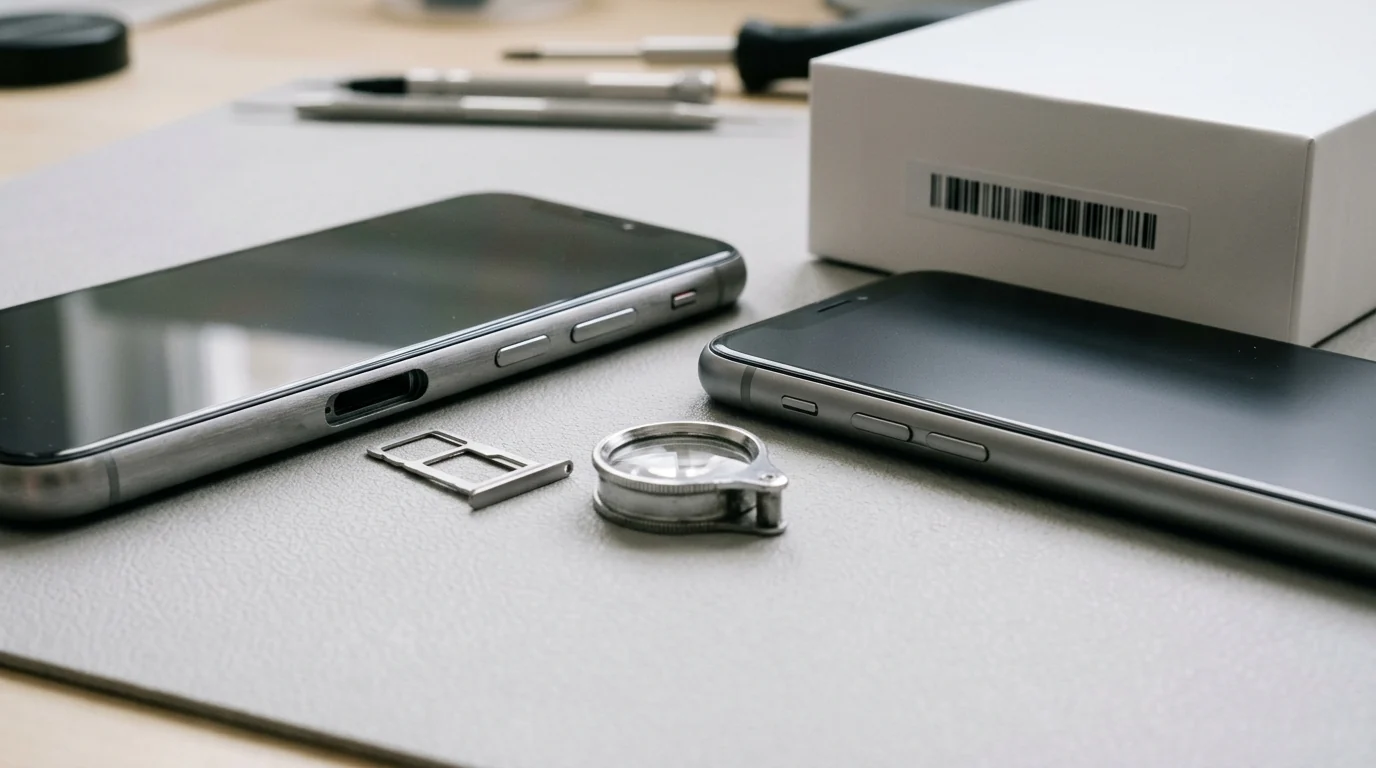
Step 2: Separate lost-or-stolen blacklist checks from financed-phone locks
A common buyer mistake is entering an IMEI into a free online lookup utility (such as Swopsmart, Phonecheck, IMEIcheck.com, or IMEICheckPro), seeing a Not blacklisted or Clean badge, and assuming the phone is debt-free and unlocked. In practice, a basic blacklist check and a financed phone blacklist IMEI inspection test two different failure mechanisms:
- What a lost-or-stolen blacklist check shows: It queries shared carrier registries to see whether the 15-digit IMEI (or CDMA ESN/MEID) is currently reported lost, stolen, or blocked at the exact moment of your lookup. Once an IMEI is blacklisted, cellular voice calls, SMS texts, and mobile data are blocked across participating networks even if you insert a new SIM card; only Wi-Fi continues to work. Furthermore, only the original account holder or the carrier that filed the report can remove a legitimate blacklist flag—third-party services claiming to “clean” or “unblacklist” a bad IMEI for a fee cannot override a carrier’s fraud or non-payment block.
- Why a financed phone can pass a basic blacklist check today and fail later: While the original owner’s installment plan is still current—or before the billing cycle goes into collections—the phone’s IMEI is not yet reported as lost or stolen. A basic blacklist tool therefore returns
Clean/Not blacklisted. If the seller stops paying the monthly Equipment Installment Plan (EIP) or files a false insurance claim weeks after selling you the phone, the carrier adds the IMEI to the blacklist after the sale.
Because private customer billing accounts are protected by carrier privacy rules, no buyer can pull another person’s live monthly bill from a public GSMA lookup alone. Instead, you detect an unpaid carrier financing balance by combining on-device SIM-lock inspection with US carrier postpaid unlocking rules.
As the FCC’s cell phone unlocking guide outlines, carrier unlocking is governed by satisfying the provider’s service and payment terms. On major US carriers, postpaid phones cannot be unlocked while an installment agreement remains unpaid:
| Carrier & policy benchmark | Postpaid unlock & financial payoff requirement | Prepaid unlock requirement | Key buyer warning signs & delays |
|---|---|---|---|
| Verizon (Device Unlocking Policies, effective February 18, 2026) | Devices unlock automatically when purchased at full retail price or when the device financing agreement balance is paid in full using a secure payment method | 365 days of paid and active service on the Verizon network | Paying off a balance or buying a phone with a Verizon Gift Card triggers a 35-day unlock delay for fraud verification; lost/stolen devices will not unlock until cleared. Once unlocked, Verizon states it will never re-lock a device |
| T-Mobile (SIM Unlock Policy, reviewed October 2026) | At least 40 days active on the T-Mobile network on the requesting line, all financed or leased payments paid in full, account in good standing, and $0 balance if associated with a canceled account | At least 365 days since activation, or >$100 in refills per active line plus >14 days since purchase (max 2 unlocks per line in 12 months) | Eligible devices supporting remote unlock are unlocked automatically within two business days; devices reported lost, stolen, or blocked are ineligible |
Because both Verizon and T-Mobile require 100% payoff of any device financing or lease balance before removing the SIM restriction, carrier lock status is your strongest on-device indicator of whether a postpaid handset was actually paid off:
- Check
Carrier Lockon iPhone (iOS 14 and later): Per Apple Support document 109316 (How to unlock your iPhone for use with a different carrier, published January 22, 2026), openSettings > General > Aboutand inspect the Carrier Lock row. An unlocked iPhone displaysNo SIM restrictions. Apple cannot unlock a carrier-locked iPhone; only the original carrier can remove the restriction. - Engineering rule of thumb for financed phones: If a seller advertises a US carrier phone as “paid off” or “unlocked” but
Settings > General > About > Carrier LockdisplaysSIM locked(or an Android handset prompts for a network unlock code / fails the carrier unlock app), assume the device still carries an unpaid installment balance, a canceled-account balance, an active 40-day / 35-day gift-card holding period, or a 365-day prepaid lock. Do not accept a cropped screenshot of a billing page—use your return window immediately.

Step 3: Run the target carrier BYOD check and test a live SIM or eSIM
After verifying that the IMEI is not blacklisted and that Carrier Lock shows No SIM restrictions, run the handset’s identifiers through the official Bring Your Own Device (BYOD) compatibility checker of the carrier you actually plan to use.
Carrier BYOD portals—such as T-Mobile’s Bring Your Own Phone compatibility tool—perform two checks that generic third-party IMEI sites cannot replicate:
- Direct carrier network & block screening (
15-digit IMEI): Entering the 15-digit IMEI confirms the make and model, checks whether the device supports the carrier’s LTE/5G network layers (such as Extended Range LTE or 5G mid-band), and flags whether that specific carrier blocks the IMEI from activation due to an internal lost, stolen, or unpaid-account record. - eSIM provisioning readiness (
32-digit EID): As T-Mobile’s BYOD documentation notes, when an IMEI lookup alone cannot confirm eSIM readiness, the portal prompts you to enter the phone’sEIDnumber (retrieved via*#06#orSettings > General > About) to verify eSIM profile provisioning before you purchase a plan or request a physical SIM card.
Keep in mind that a carrier BYOD check evaluates network compatibility and current activation eligibility—it does not rewrite handset firmware or guarantee every carrier-specific feature on a non-carrier phone. T-Mobile explicitly notes that for “Non-T-Mobile Devices” (handsets not sold by T-Mobile or an authorized dealer, or running non-T-Mobile software), it cannot guarantee call quality, data speed, or full feature compatibility because settings from the original carrier can vary. For a deeper comparison of regional model suffixes, 5G NR bands (n41, n71, n77), and firmware differences, see our guide to unlocked vs. carrier phone band support, bloatware, and 2026 unlock rules.
Finally, complete a live cellular provisioning test during the first 30 minutes of delivery:
- Insert your active physical nano-SIM card or install your carrier eSIM profile (see our eSIM vs. physical SIM card switching, roaming, and theft security guide before moving your primary number).
- Turn off Wi-Fi completely on the handset.
- Place an outbound voice call, receive an inbound call, send and receive an SMS text, and load a web page over cellular data.
- Confirm that no error dialog appears—such as Apple’s alert: “The SIM card inserted in this iPhone does not appear to be supported. Only compatible SIM cards from a supported carrier may be used to activate iPhone.”
Buying takeaway: Because any IMEI lookup is a point-in-time snapshot, pairing a clean BYOD check with a documented marketplace return or guarantee window (such as Amazon Renewed’s 90-day / 365-day guarantee or Apple’s one-year warranty) is your primary protection against post-sale payment default.
Step 4: Keep the return-window evidence packet before filing a claim
If a refurbished phone fails an IMEI blacklist lookup, shows SIM locked despite an “unlocked” listing, displays an Unverified logic board warning, or gets rejected by your carrier’s BYOD portal, initiate a return or guarantee claim before the seller’s deadline expires. Assemble and store the three-part evidence packet below so the marketplace, refurbisher, or carrier can verify the discrepancy without back-and-forth delays:
| Required audit item | Exact details to capture & retain | Why sellers and carriers require it |
|---|---|---|
1. Device identifiers (IMEI or EID) |
The 15-digit IMEI 1 (plus IMEI 2 on dual-SIM phones), the 32-digit EID for eSIM models, the device serial number, and photos of the box barcode label and SIM-tray engraving (on iPhone 6s–13 / SE 2nd–3rd gen) |
Proves the exact hardware unit delivered to you and exposes any mismatch between the box sticker, the seller’s invoice, and the internal logic board |
| 2. Dated lookup & settings screenshots | Full-screen, dated screenshots of: (a) the IMEI blacklist check result, (b) the target carrier’s BYOD compatibility/activation error screen, and (c) Settings > General > About showing Carrier Lock and Parts and Service History |
Documents that the network block, carrier lock, or Unverified / Unknown component warning existed during the return window |
| 3. Seller grading label & order terms | The original product listing page, order confirmation, promised condition tier (Excellent, Good, Acceptable, Premium, or Grade A), “Unlocked” representation, and exact return-window expiration date |
Establishes the written contract promise that the delivered handset failed to meet under the marketplace’s replacement or refund policy |
Share your IMEI, EID, and order screenshots only through the seller’s, marketplace’s, or carrier’s official private support and return channels—never post unredacted IMEI numbers or account receipts in public forums or product reviews.
Frequently asked questions
Does a “Clean” or “Not blacklisted” IMEI check prove a refurbished phone is paid off?
No. A free IMEI blacklist lookup only confirms that the handset has not yet been reported lost, stolen, or blocked in the queried database at the moment you check. A phone on an active carrier Equipment Installment Plan still shows Clean as long as the original account holder hasn’t defaulted. To screen for unpaid financing, verify that Settings > General > About > Carrier Lock displays No SIM restrictions (since US carriers like Verizon and T-Mobile require full financial payoff before unlocking postpaid devices), run your carrier’s official BYOD IMEI check, and buy within a documented return guarantee.
Why is there no IMEI engraved on the SIM tray of a refurbished iPhone 14, 15, or 16?
Per Apple Support document 108037 (published May 12, 2026), iPhone 14 models and later do not have an IMEI/MEID engraving on the device or SIM tray—and US iPhone 14 and newer models are eSIM-only with no physical SIM tray at all. On those models, check the IMEI and EID before setup by tapping the Info (i) button at the bottom-right of the "Hello" screen, dialing *#06#, opening Settings > General > About, or connecting the phone to Finder or the Apple Devices app. Physical SIM-tray IMEI engravings apply to iPhone 6s through iPhone 13 and iPhone SE (2nd and 3rd generation).
Can a buyer or third-party service remove an IMEI blacklist or carrier finance lock?
No third-party website or paid “IMEI cleaning” service can legitimately remove a carrier blacklist flag or an unpaid installment lock. Both Apple Support (document 109316) and US carrier policies (Verizon and T-Mobile) establish that only the original carrier—acting on a cleared lost/stolen report or a fully satisfied account balance from the original account holder—can lift a blacklist block or issue an official carrier unlock. If a refurbished phone arrives blacklisted or finance-locked, use your evidence packet (IMEI/EID, lookup screenshots, and seller grading label) to claim a return or refund from the seller immediately.
Related technical guides
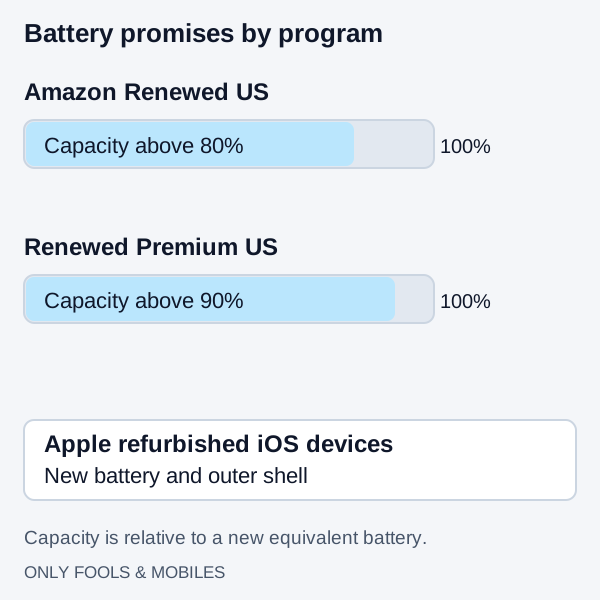
Amazon Renewed vs. Refurbished: Grading, Battery Health, and Warranty Compared
Compare Apple refurbished iOS devices with Amazon Renewed US battery, parts and cosmetic rules, then use a first-30-minute delivery checklist.
Read technical guide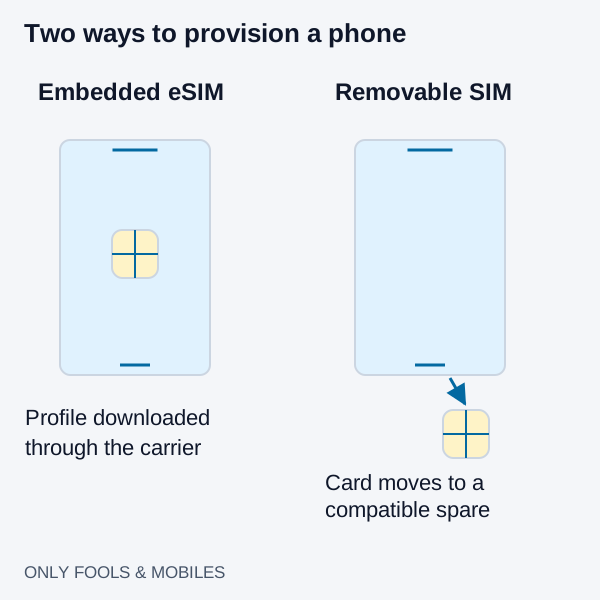
eSIM vs. Physical SIM Card: Carrier Switching, Roaming, and Theft Security
Compare eSIM and physical SIM for travel, broken-phone recovery and theft protection, with carrier-specific activation and roaming checks.
Read technical guide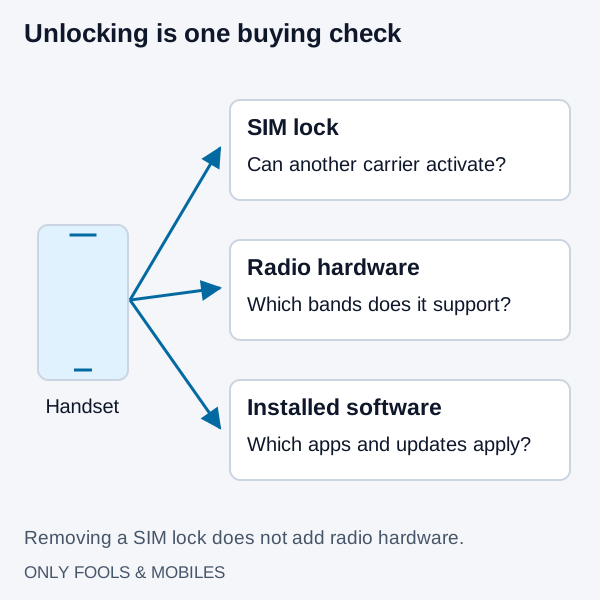
Unlocked vs. Carrier Phone: Band Support, Bloatware, and 2026 Unlock Rules
Compare factory-unlocked and carrier phones, check hardware separately from SIM locks, and review Verizon, AT&T and T-Mobile eligibility conditions.
Read technical guide